> ## Documentation Index
> Fetch the complete documentation index at: https://docs.cow.bleu.builders/llms.txt
> Use this file to discover all available pages before exploring further.
# Swap in Safe Apps
> With over , Safe is a multi-signature wallet that allows users to manage their assets in a secure and decentralized way.
Safe Dapps, are third party interfaces that live inside the [Safe Wallet Web](https://app.safe.global) and allow users to interact with deFI protocols with a customised user experience.
[CoW Protocol Widget](https://widget.cow.fi) has a deep integration with Safe Dapps, which allows anyone building a Safe Dapp to seamlessly add trading functionality.
This is interesting for Safe Dapps because:
* 🧱 Cut the development costs, building a good trading experience is hard!
* ☔️ Offer users all CoW Protocol innovations, like protection from MEV, just-in-time path finding (optimised for Multisigs), batching of transactions and more.
* 🤑 Create a revenue model for your Dapp by using the `partnerFee` (see [Fees](/governance/reference/fees#partner-fees)).
The easiest way to get started is to follow the steps below.
## Demo
Before you start, you can get a feel of the Safe App example. Feel free to skip this step!
The example shows:
* How to make a new Safe App
* How to make Swaps, Limit orders and TWAPs
* How to control programatically the swap widget
* How to detect trade parameters (token selection, amounts, etc.)
* How to define a dynamic fee
* How to customize the colors, tokens, sounds, etc
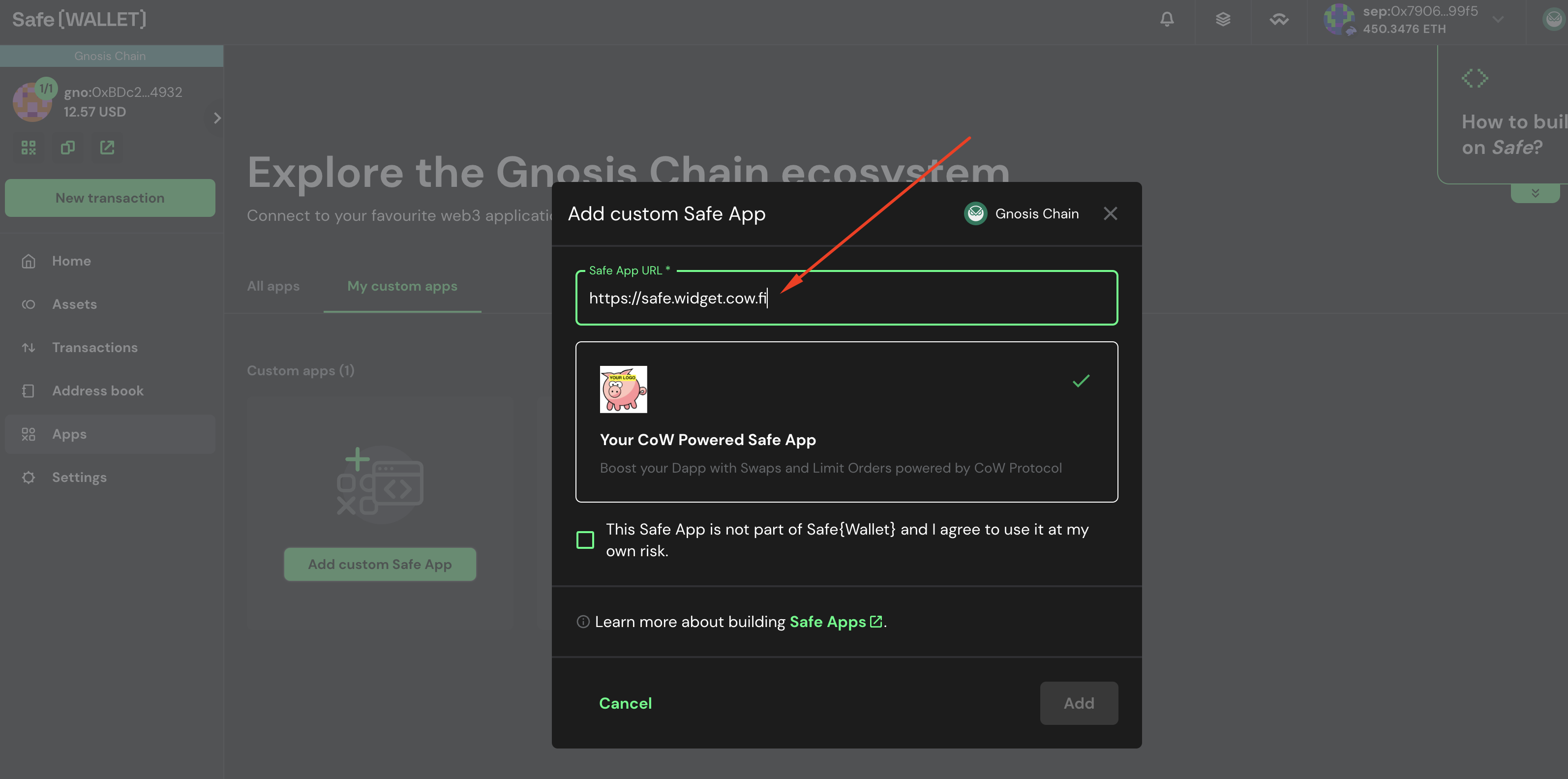
To use the demo, just follow the instructions in [Add your custom dapp in Safe Wallet](#add-custom-dapp) below, but instead of adding the URL `http://localhost:9999`, use the URL `https://safe.widget.cow.fi`.
 ## Fork the project
You can use the **safe-app-example** to start with some basic boilerplate code.
Go to [https://github.com/cowprotocol/safe-app-example](https://github.com/cowprotocol/safe-app-example) and fork it.
## Fork the project
You can use the **safe-app-example** to start with some basic boilerplate code.
Go to [https://github.com/cowprotocol/safe-app-example](https://github.com/cowprotocol/safe-app-example) and fork it.
 This will create a copy of the project so you can safely make modifications on it.
## Clone boilerplate code
Once you have forked the project, clone it to your local machine.
```
git clone
```
## Run app locally
Launch the Dapp on port 9999 (for example).
```
# Install dependenciesyarn# Run the appPORT=9999 yarn start
```
The app should be running on [http://localhost:9999](http://localhost:9999).
## Add your custom dapp in Safe Wallet
Go to [https://app.safe.global](https://app.safe.global) and create a safe if you don't have one for Sepolia network (convenient for testing).
Then navigate to: `Apps` > `My Custom Dapps`.
This will create a copy of the project so you can safely make modifications on it.
## Clone boilerplate code
Once you have forked the project, clone it to your local machine.
```
git clone
```
## Run app locally
Launch the Dapp on port 9999 (for example).
```
# Install dependenciesyarn# Run the appPORT=9999 yarn start
```
The app should be running on [http://localhost:9999](http://localhost:9999).
## Add your custom dapp in Safe Wallet
Go to [https://app.safe.global](https://app.safe.global) and create a safe if you don't have one for Sepolia network (convenient for testing).
Then navigate to: `Apps` > `My Custom Dapps`.
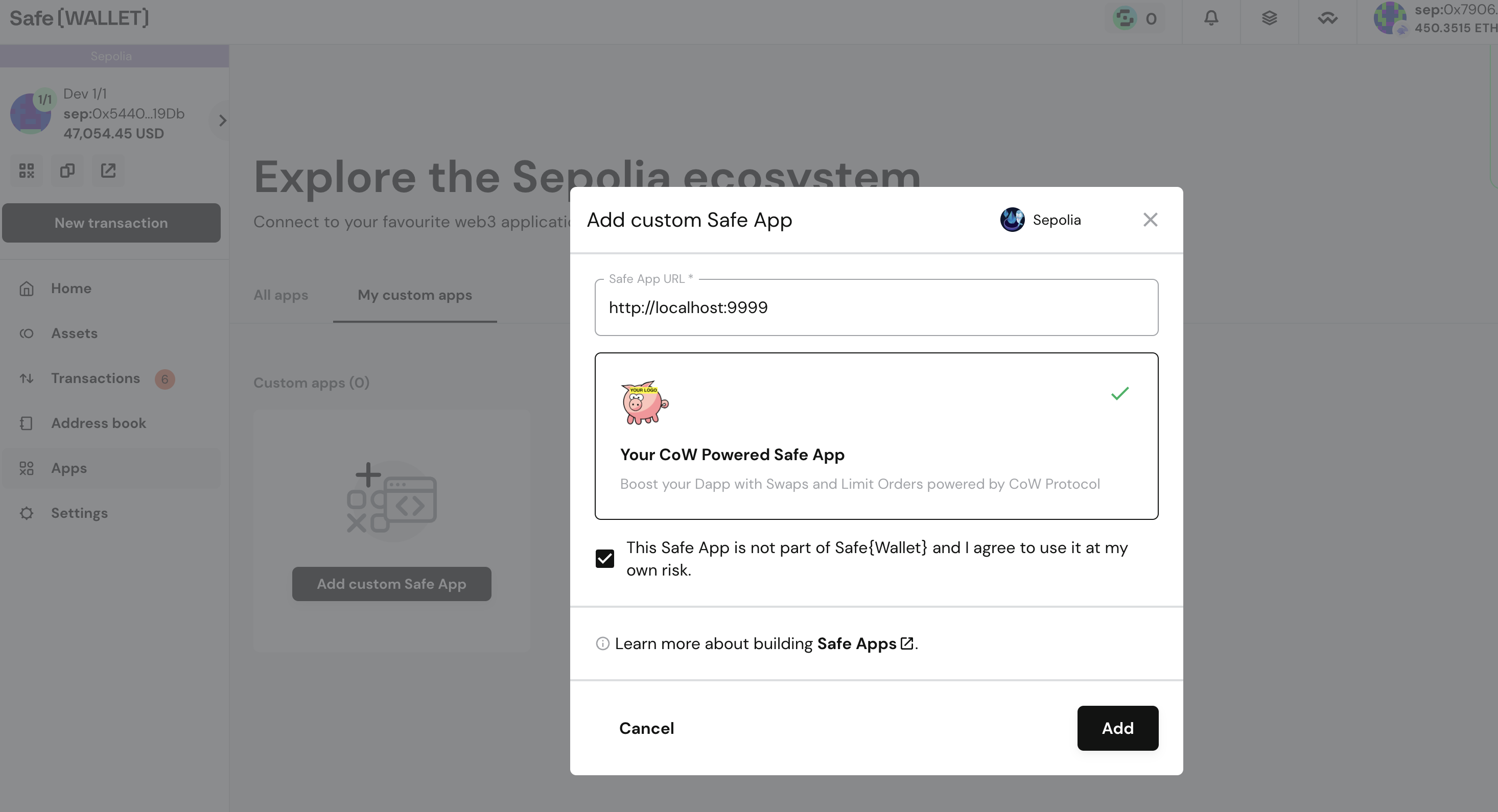
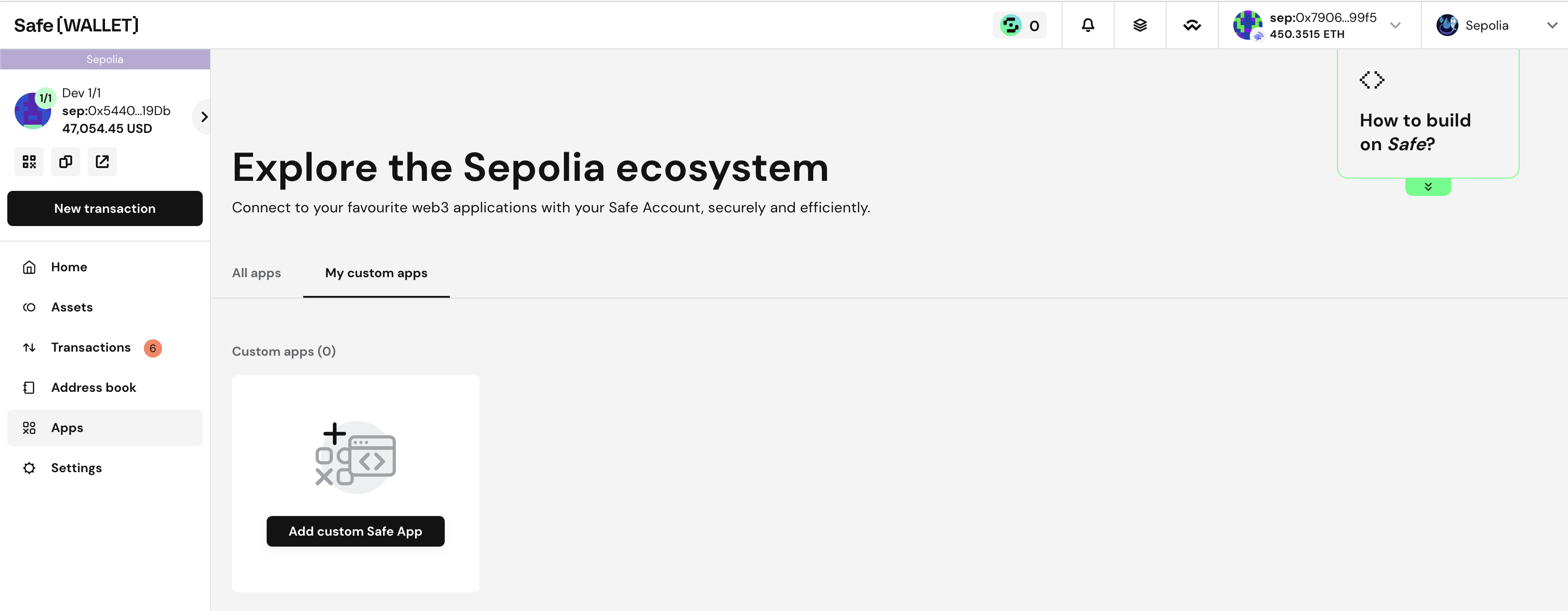 Add your custom dapp: [http://localhost:9999](http://localhost:9999).
 The dapp should be added in your local browser.
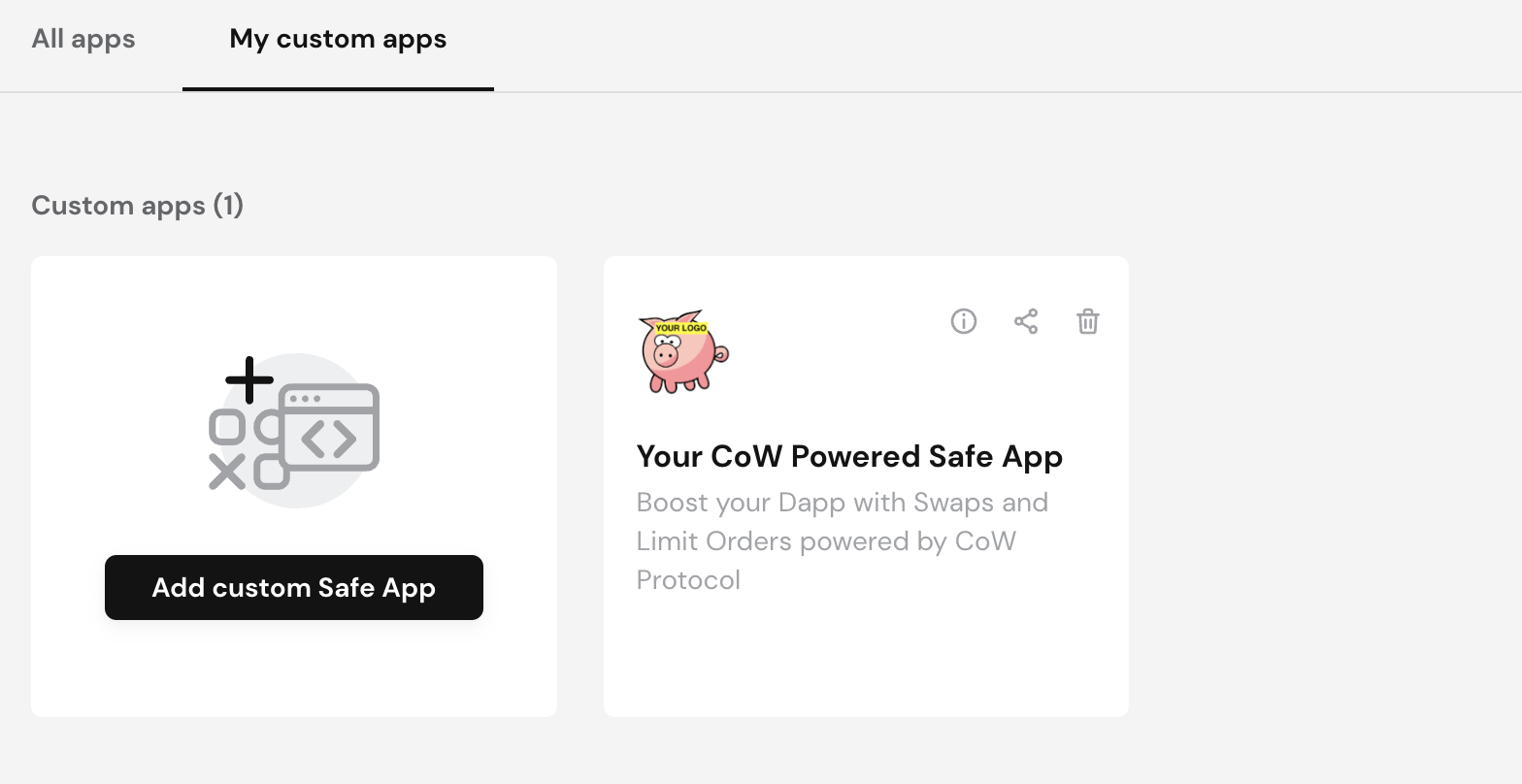 Open the app:
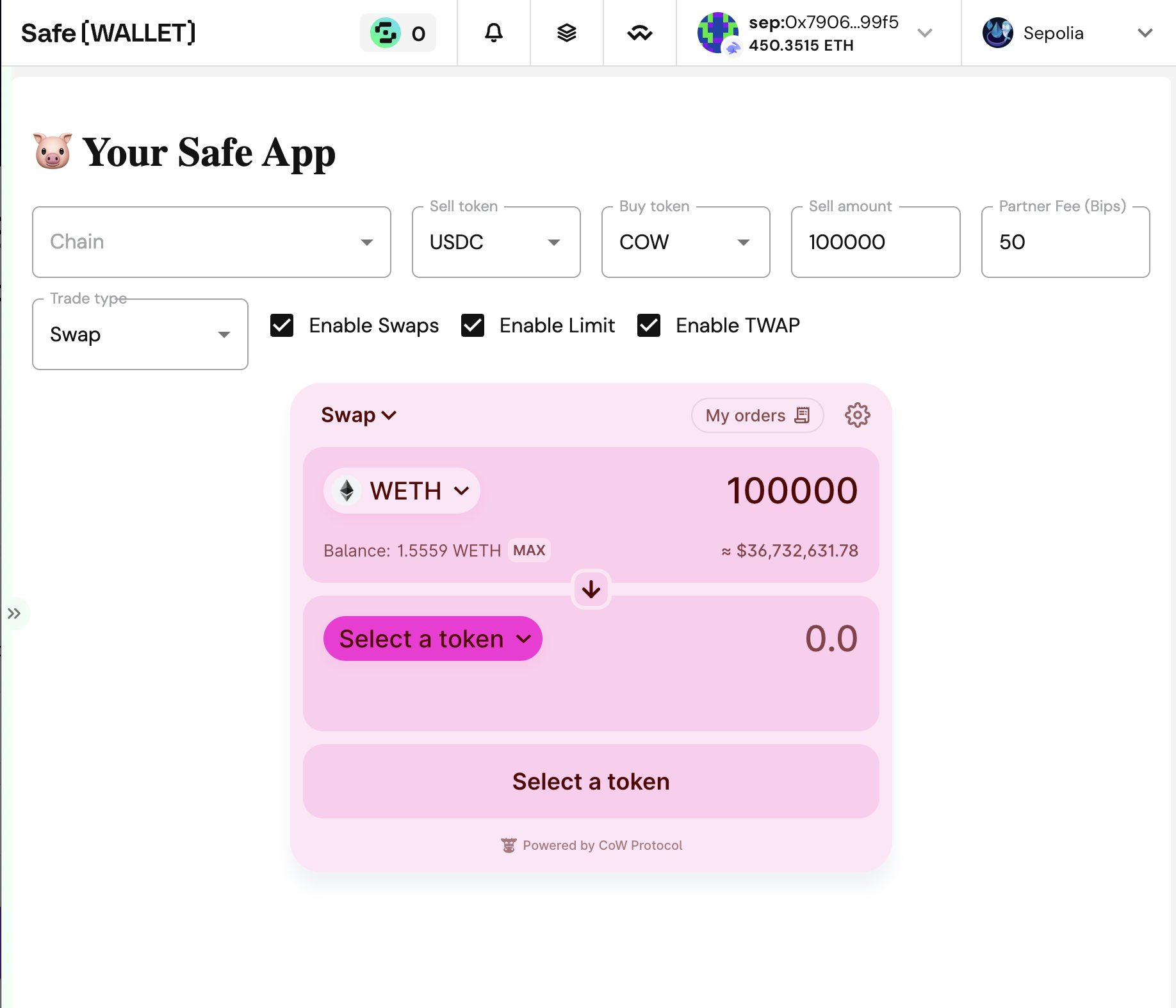 Try to make your first trade! You might need some tokens, or Sepolia Ether (you could use this [faucet](https://sepolia-faucet.pk910.de)).
## Explore the code
Explore the code and try to make modifications!
It's your code now, try to make something useful for Safe users.
## Follow Up
From here, try to get more familiar with [CoW Protocol](/) and [Safe](https://docs.safe.global), and enhance your application.
Try to make your first trade! You might need some tokens, or Sepolia Ether (you could use this [faucet](https://sepolia-faucet.pk910.de)).
## Explore the code
Explore the code and try to make modifications!
It's your code now, try to make something useful for Safe users.
## Follow Up
From here, try to get more familiar with [CoW Protocol](/) and [Safe](https://docs.safe.global), and enhance your application.