> ## Documentation Index
> Fetch the complete documentation index at: https://docs.cow.bleu.builders/llms.txt
> Use this file to discover all available pages before exploring further.
# Market orders (swap)
> Swapping is the bread and butter of CoW Protocol! Let's swap some tokens!
## Connect wallet
Go to [CoW Swap](https://swap.cow.fi/#/swap?utm_source=docs.cow.fi\&utm_content=swap-tutorial) and connect your web3 wallet.
If you don't have a web3 wallet yet, you can easily get one! Here are some suggestions:
* Use a browser extension wallet such as [Rabby](https://rabby.io/) or [Metamask](https://metamask.io/download/)
* A hardware wallet such as [Trezor](https://trezor.io/)
* A Smart Contract Wallet such as [Safe](https://app.safe.global)
Please do your own research on the advantages and disadvantages of each wallet to select the one that works best for you.
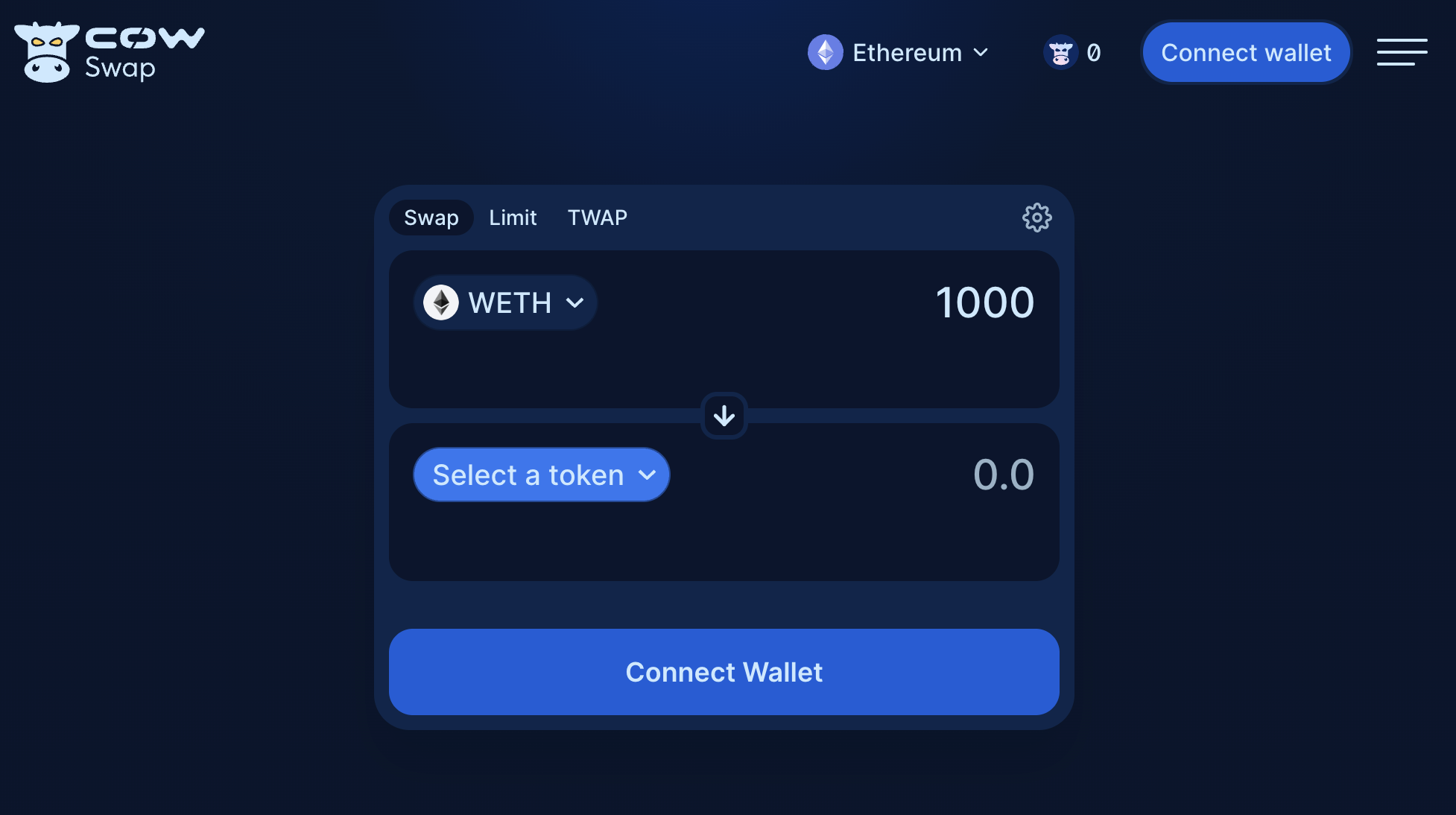 Click on `Connect wallet`.
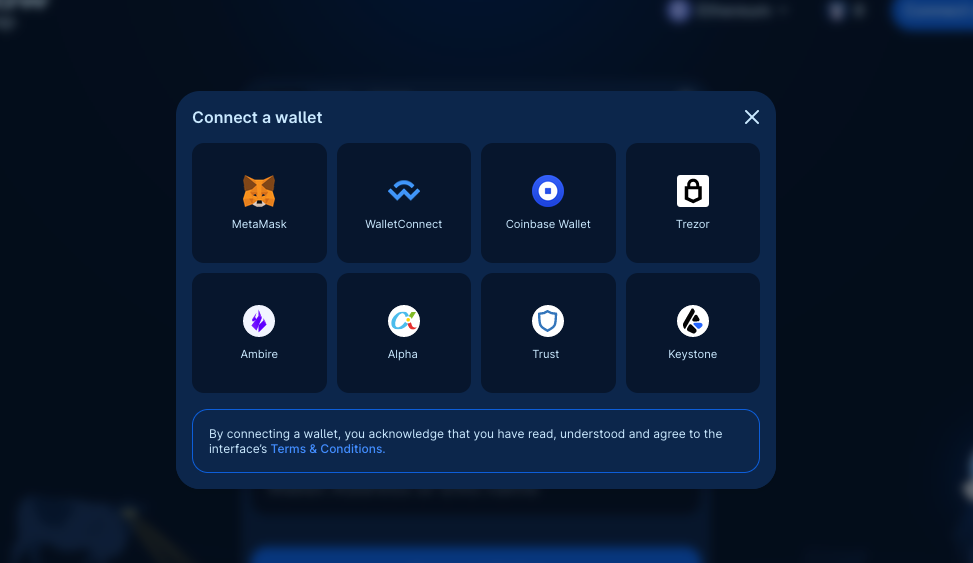 Select one of the available wallets.
## Select tokens
Consider an example swapping 0.05 `WETH` for `COW`.
Select one of the available wallets.
## Select tokens
Consider an example swapping 0.05 `WETH` for `COW`.
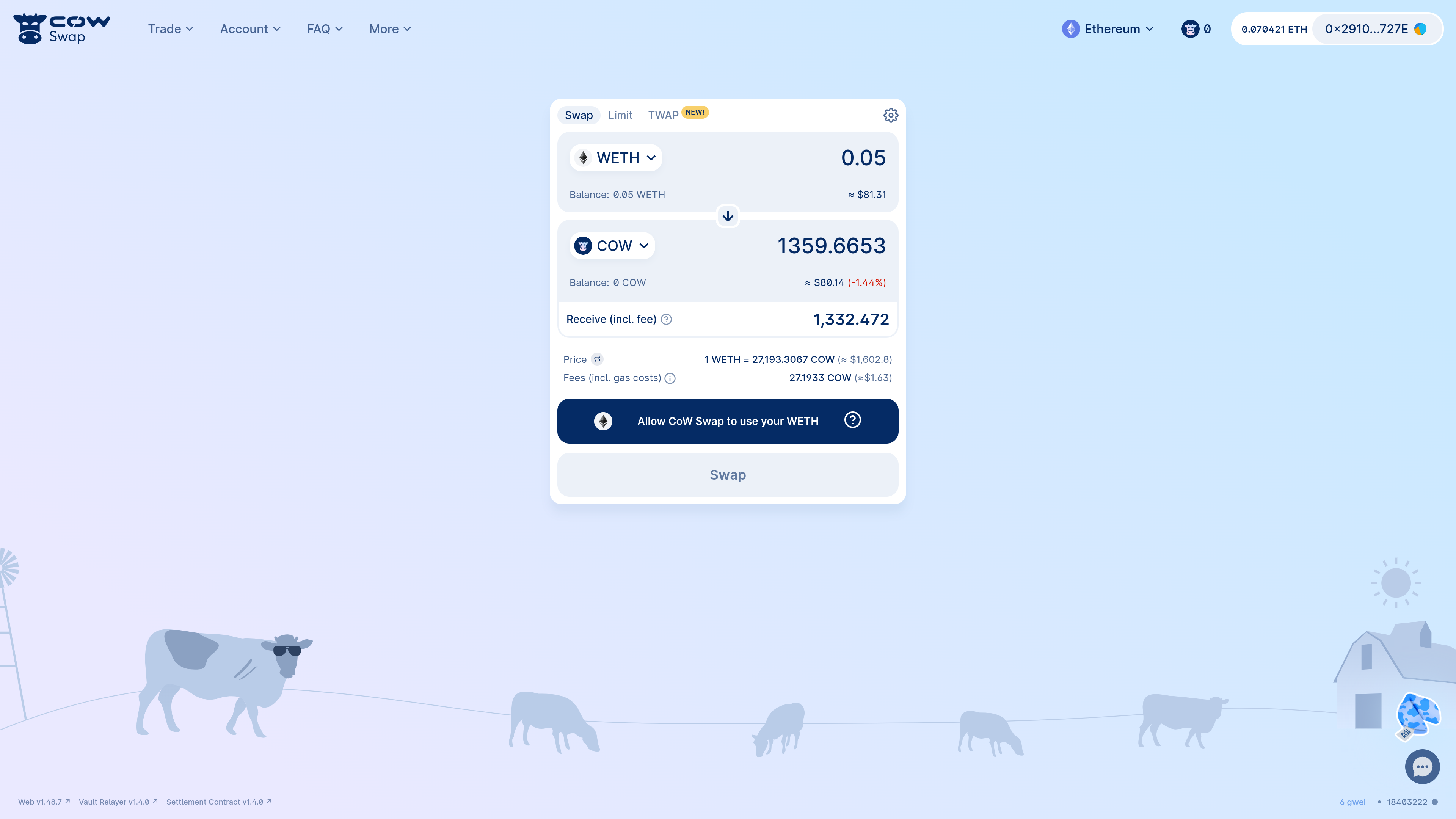 When you do a swap on CoW Swap for the first time, you must give approval for the [*vault relayer*](/cow-protocol/reference/contracts/core/vault-relayer) contract to spend your token (in this case, `WETH`). This is because this is the contract that will pull the `WETH` from your wallet and send it to the [*settlement*](/cow-protocol/reference/contracts/core/settlement) contract that will co-ordinate the swap on your behalf.
Both contracts are audited, battle-tested and non-upgradeable.
Moreover, the settlement contract is the only address that can request the vault relayer to pull your funds and **only after verifying** both that:
1. Your order was signed by you
2. and that you will receive at least your limit execution price or better
## Approve sell token
Some tokens, such as `USDC`, `DAI`, `COW` and many others support gasless approvals. This means that you can approve the [vault relayer](/cow-protocol/reference/contracts/core/vault-relayer) contract to spend your tokens without having any initial gas for an on-chain transaction. This is a great way to save on gas costs!
You don't have to worry about this, as CoW Swap will automatically detect if the token supports gasless approvals and will guide you through the process.
Just look for the `gasless approval` flag when picking the tokens to get started:
When you do a swap on CoW Swap for the first time, you must give approval for the [*vault relayer*](/cow-protocol/reference/contracts/core/vault-relayer) contract to spend your token (in this case, `WETH`). This is because this is the contract that will pull the `WETH` from your wallet and send it to the [*settlement*](/cow-protocol/reference/contracts/core/settlement) contract that will co-ordinate the swap on your behalf.
Both contracts are audited, battle-tested and non-upgradeable.
Moreover, the settlement contract is the only address that can request the vault relayer to pull your funds and **only after verifying** both that:
1. Your order was signed by you
2. and that you will receive at least your limit execution price or better
## Approve sell token
Some tokens, such as `USDC`, `DAI`, `COW` and many others support gasless approvals. This means that you can approve the [vault relayer](/cow-protocol/reference/contracts/core/vault-relayer) contract to spend your tokens without having any initial gas for an on-chain transaction. This is a great way to save on gas costs!
You don't have to worry about this, as CoW Swap will automatically detect if the token supports gasless approvals and will guide you through the process.
Just look for the `gasless approval` flag when picking the tokens to get started:
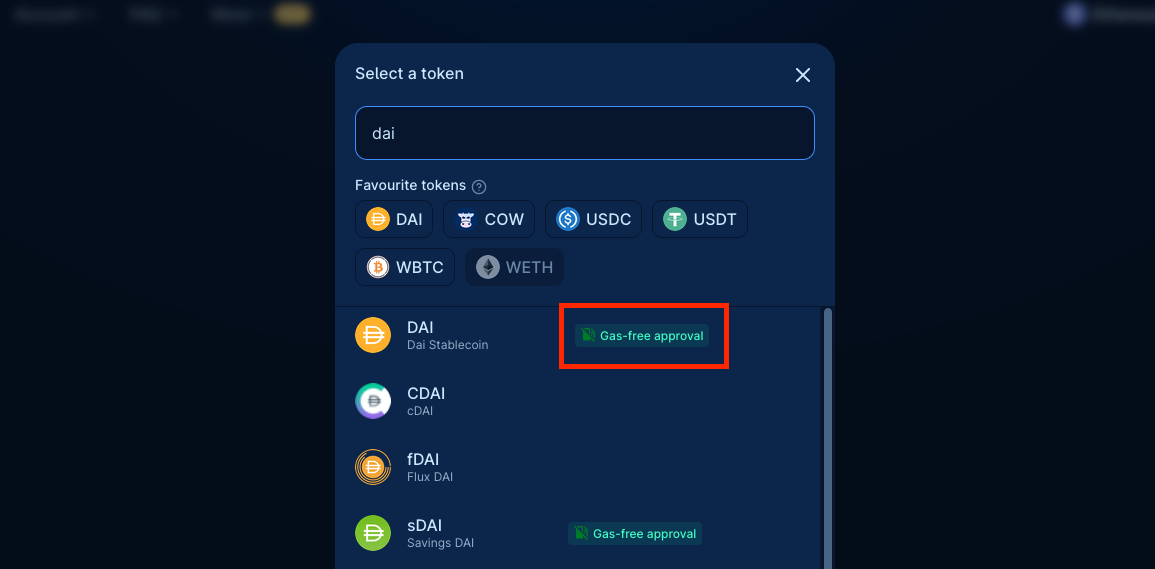 Trade of gasless compatible tokens is supported on Swap and [Limit](/cow-swap/tutorials/limit) orders, and are NOT available for Smart Contract wallets.
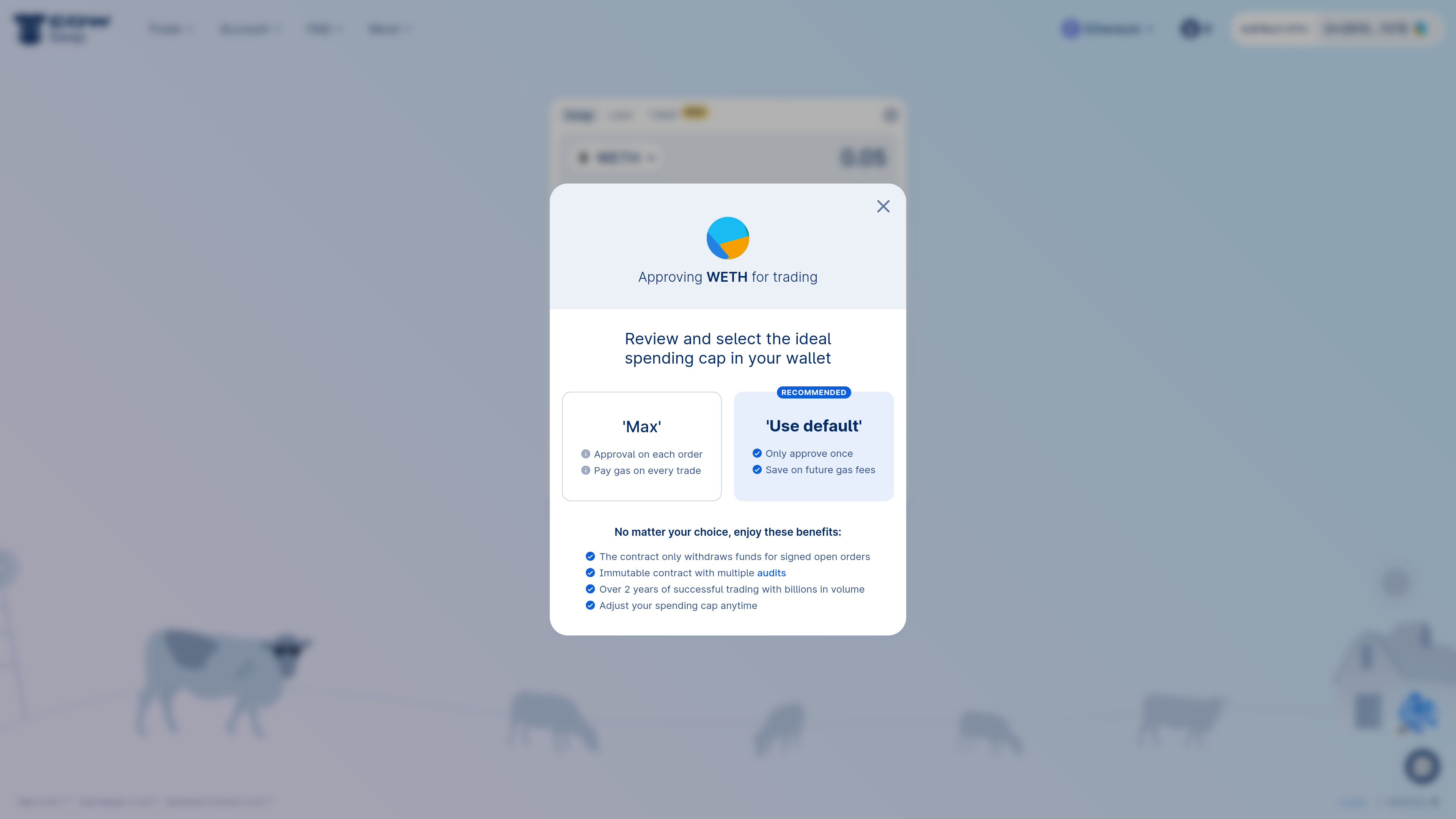 By default, CoW Swap prompts you to give [vault relayer](/cow-protocol/reference/contracts/core/vault-relayer) an "unlimited" allowance for the sell token.
This has the benefits of:
* Not having to approve every time you trade
* Saving on gas costs
A user should be careful when signing approval transactions. Verify carefully that the spender address is correct (in this case GPv2VaultRelayer's address).
If in doubt about any of the above, do *not* sign the transaction. To review your approvals, you can use [https://revoke.cash/](https://revoke.cash/).
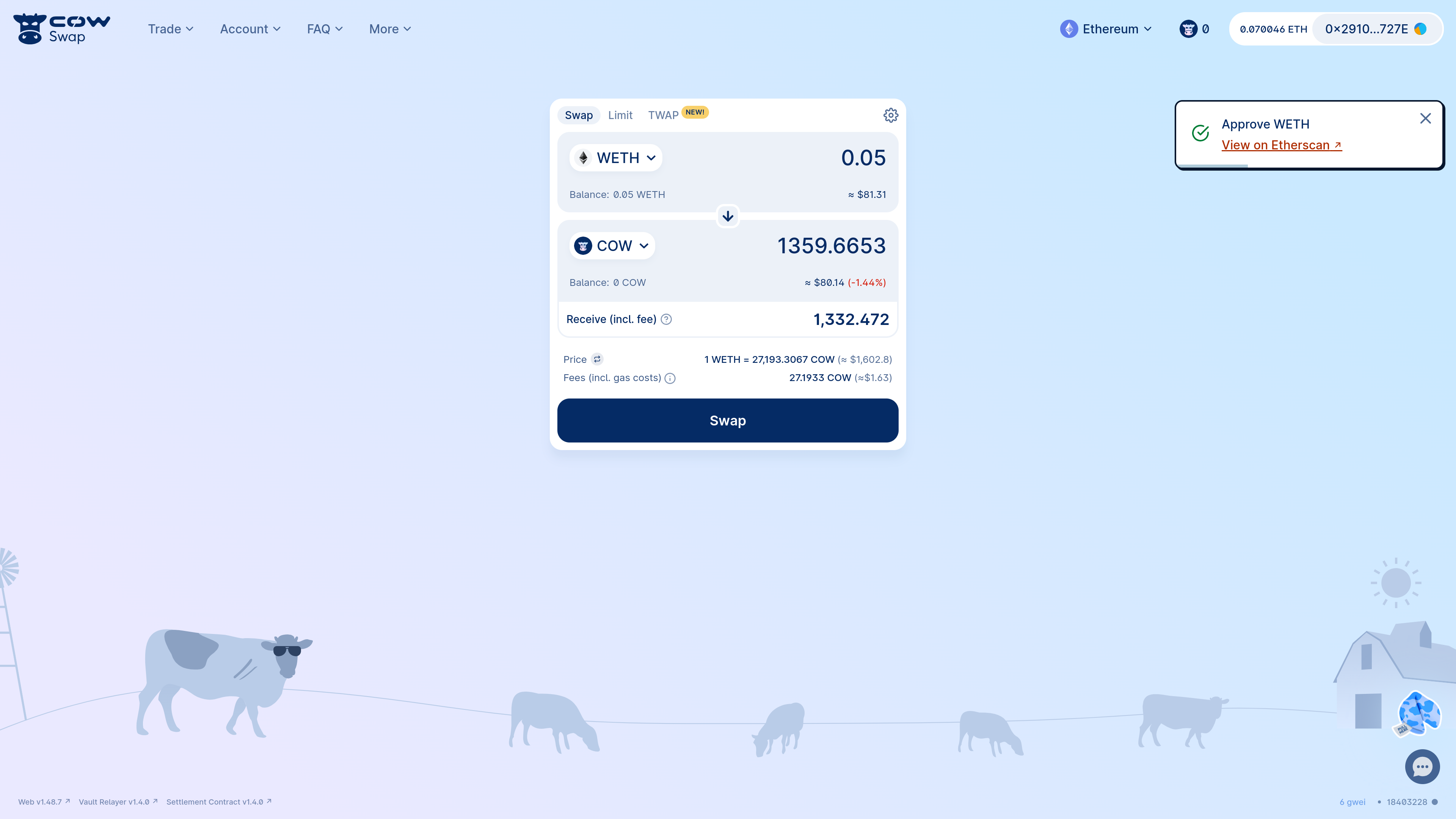
Once the `approve` transaction is confirmed, you can proceed to swap!
By default, CoW Swap prompts you to give [vault relayer](/cow-protocol/reference/contracts/core/vault-relayer) an "unlimited" allowance for the sell token.
This has the benefits of:
* Not having to approve every time you trade
* Saving on gas costs
A user should be careful when signing approval transactions. Verify carefully that the spender address is correct (in this case GPv2VaultRelayer's address).
If in doubt about any of the above, do *not* sign the transaction. To review your approvals, you can use [https://revoke.cash/](https://revoke.cash/).
Once the `approve` transaction is confirmed, you can proceed to swap!
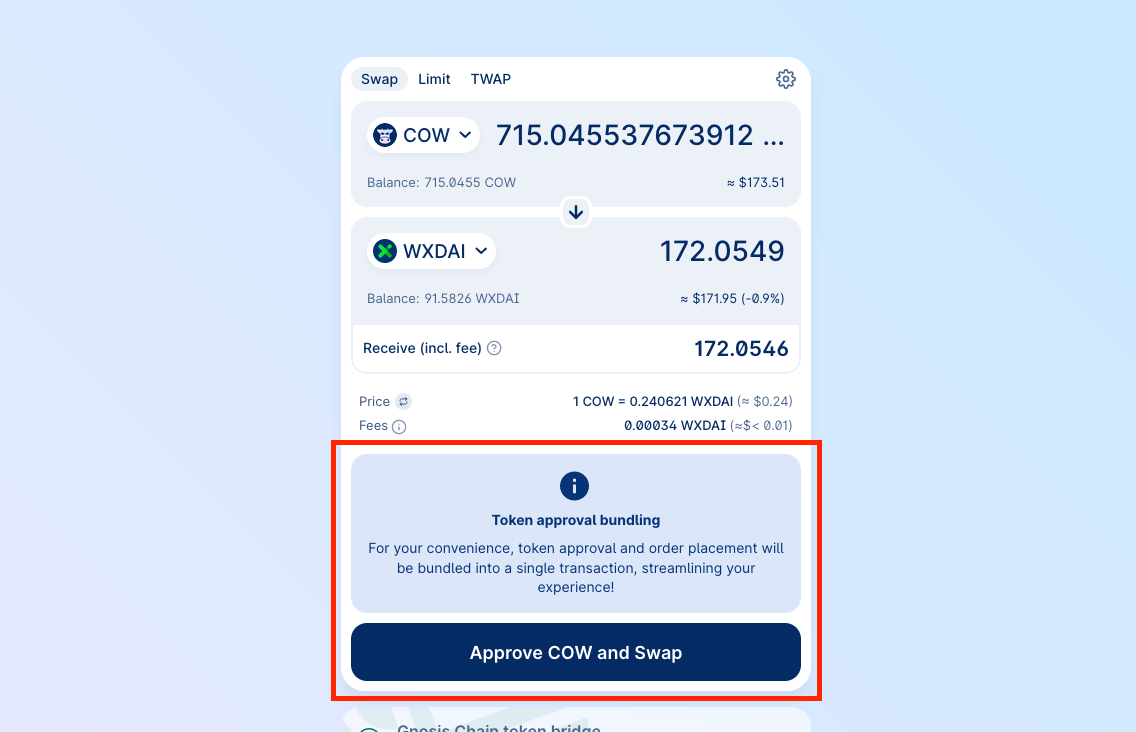
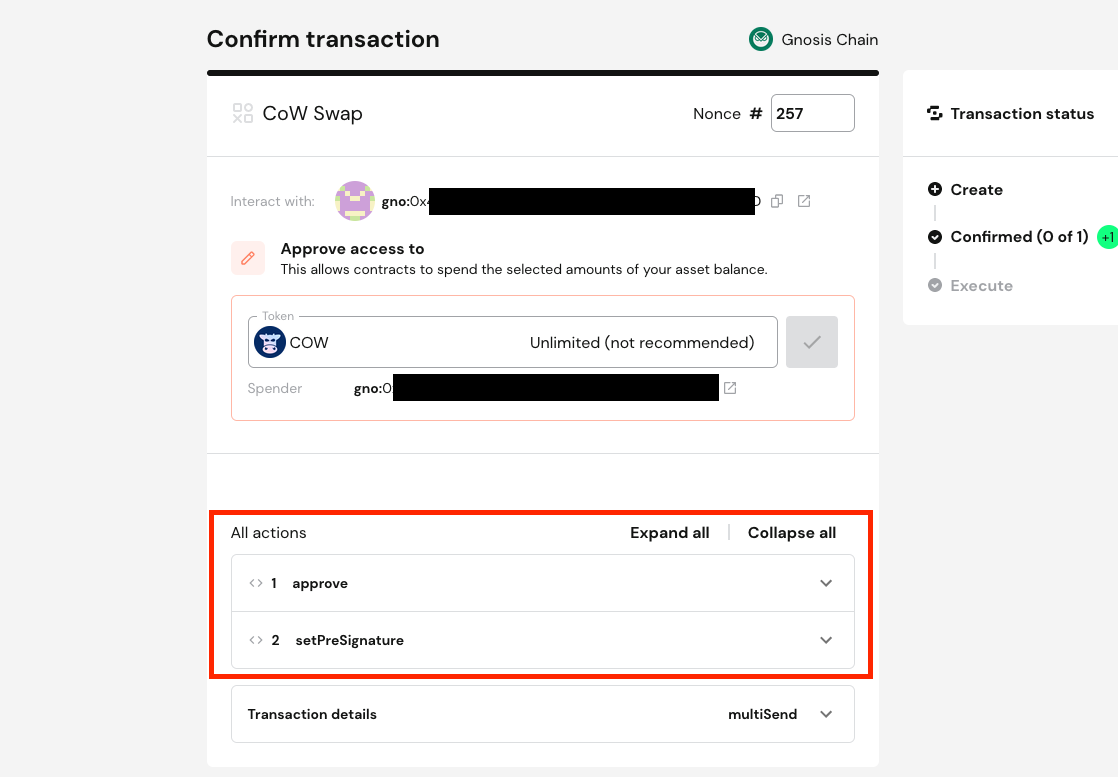
 CoW Swap has a special integration with [Safe](https://app.safe.global) when opened as a [Safe app](https://app.safe.global/share/safe-app?appUrl=https%3A%2F%2Fswap.cow.fi\&chain=eth), where the approval and order placement transactions can be combined into a single Safe transaction.
 ## Confirm swap
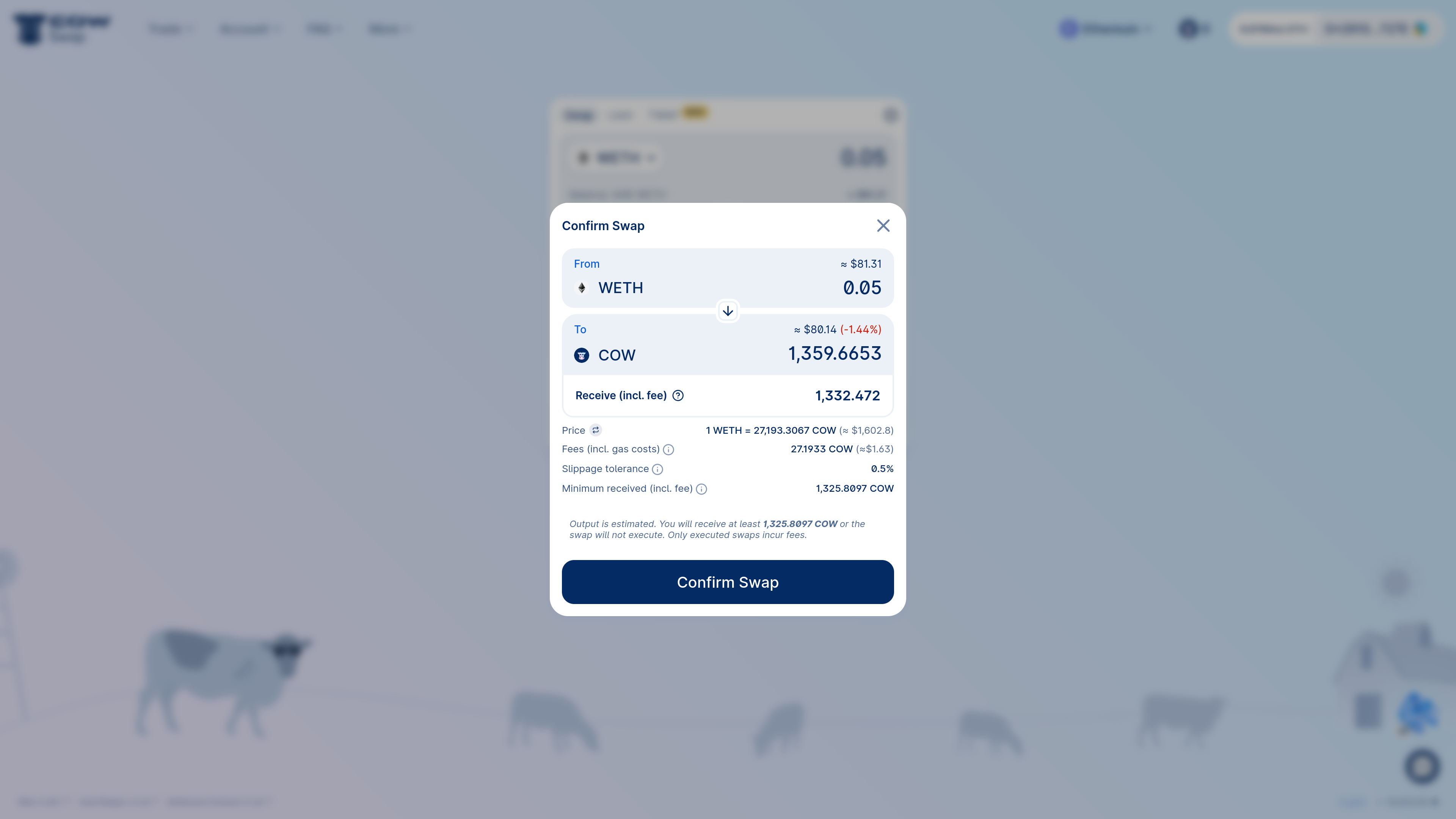
When you're ready to swap, click the "Swap" button.
You will be prompted to confirm the swap. This is when you can review the details of the swap (i.e. the quote, the slippage tolerance, etc.).
If you're happy with the details, click "Confirm Swap". You will be prompted to sign the order.
Ensure that the `receiver` address is correct. Fake CoW Swap websites have been observed and often substitute this parameter with their own address. This **should be set to 0x0...0 or your signer's address** to indicate that the tokens will be sent to the order signer's address. If you have set a custom receiver, you should verify that the address is correct.
The user interface should display a warning if the `receiver` address is not the address from which you are signing the order.
Be careful when signing an order. All of the associated parameters are final and cannot be changed once the order is signed and submitted to the API. If you make a mistake, you will need to cancel the order and create a new one.
## Confirm swap
When you're ready to swap, click the "Swap" button.
You will be prompted to confirm the swap. This is when you can review the details of the swap (i.e. the quote, the slippage tolerance, etc.).
If you're happy with the details, click "Confirm Swap". You will be prompted to sign the order.
Ensure that the `receiver` address is correct. Fake CoW Swap websites have been observed and often substitute this parameter with their own address. This **should be set to 0x0...0 or your signer's address** to indicate that the tokens will be sent to the order signer's address. If you have set a custom receiver, you should verify that the address is correct.
The user interface should display a warning if the `receiver` address is not the address from which you are signing the order.
Be careful when signing an order. All of the associated parameters are final and cannot be changed once the order is signed and submitted to the API. If you make a mistake, you will need to cancel the order and create a new one.
 At this stage, your wallet will prompt you to sign the order. The user interface for this will vary depending on your wallet.
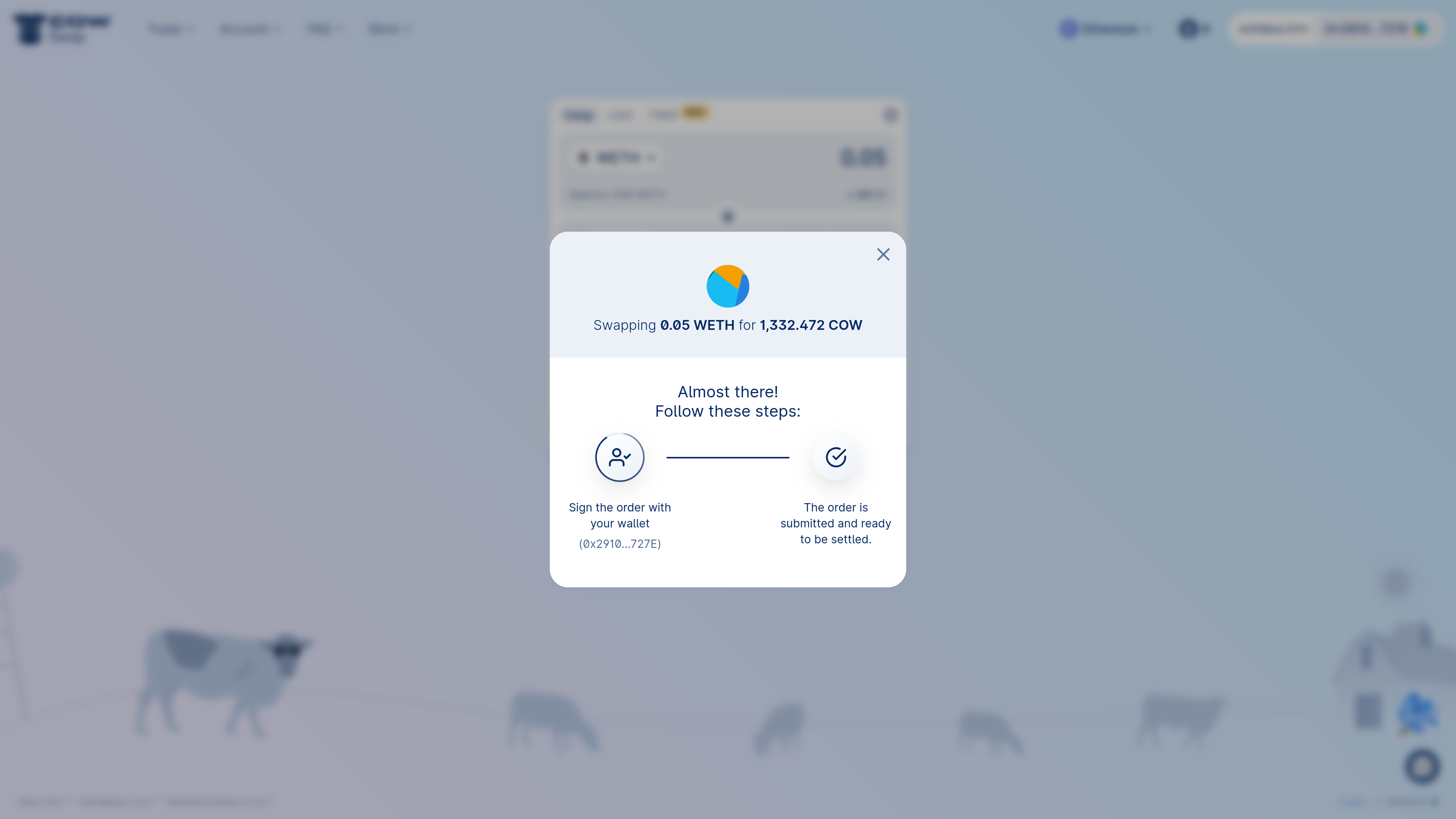 Once the order has been signed, it will be submitted to CoW Protocol where it is now ready to be executed! 🎉
 ## Track your order
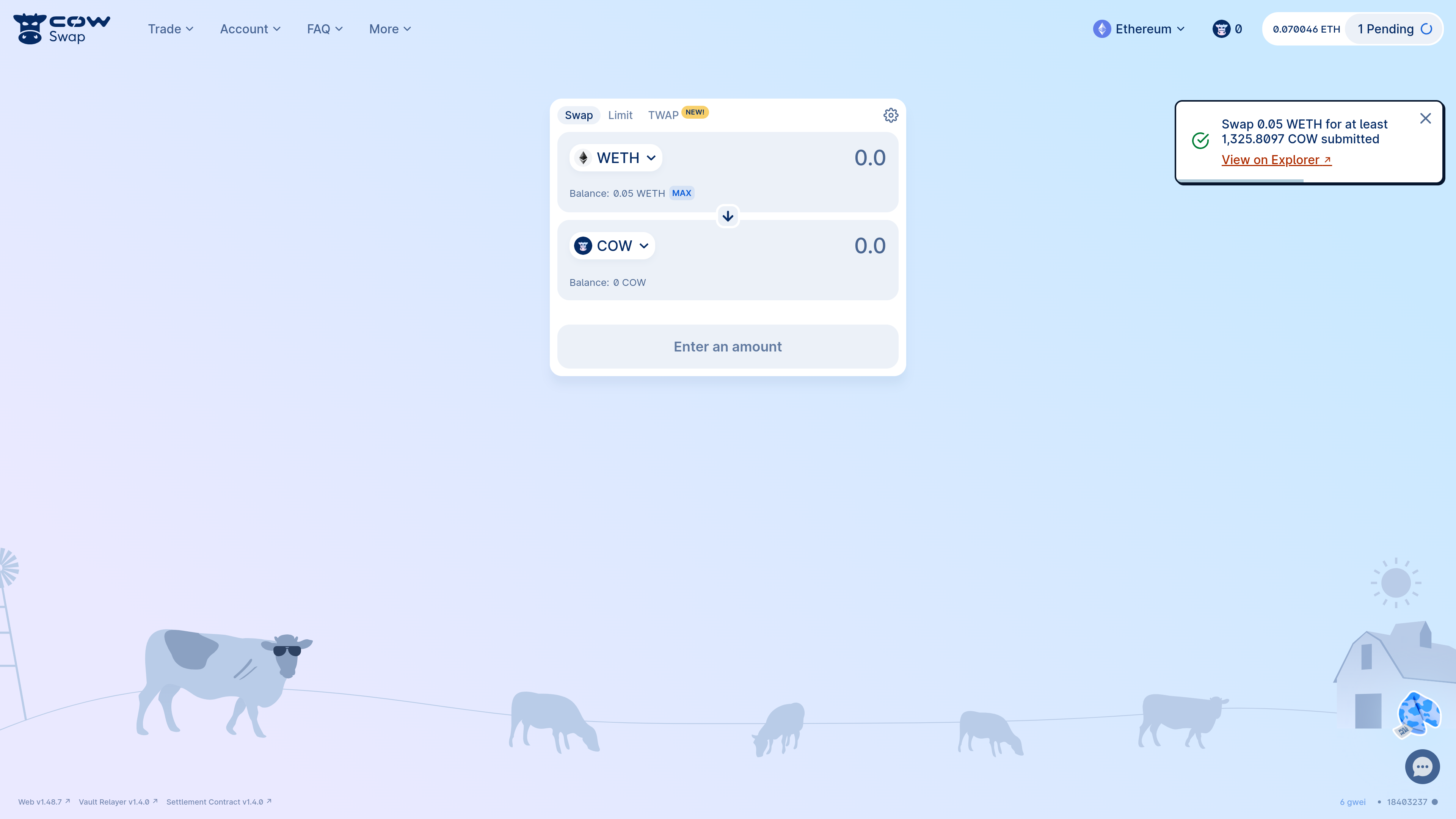
Your order will be in the order book and ready to be executed.
* CoW Swap will automatically notify in a pop-up message once your order is executed.
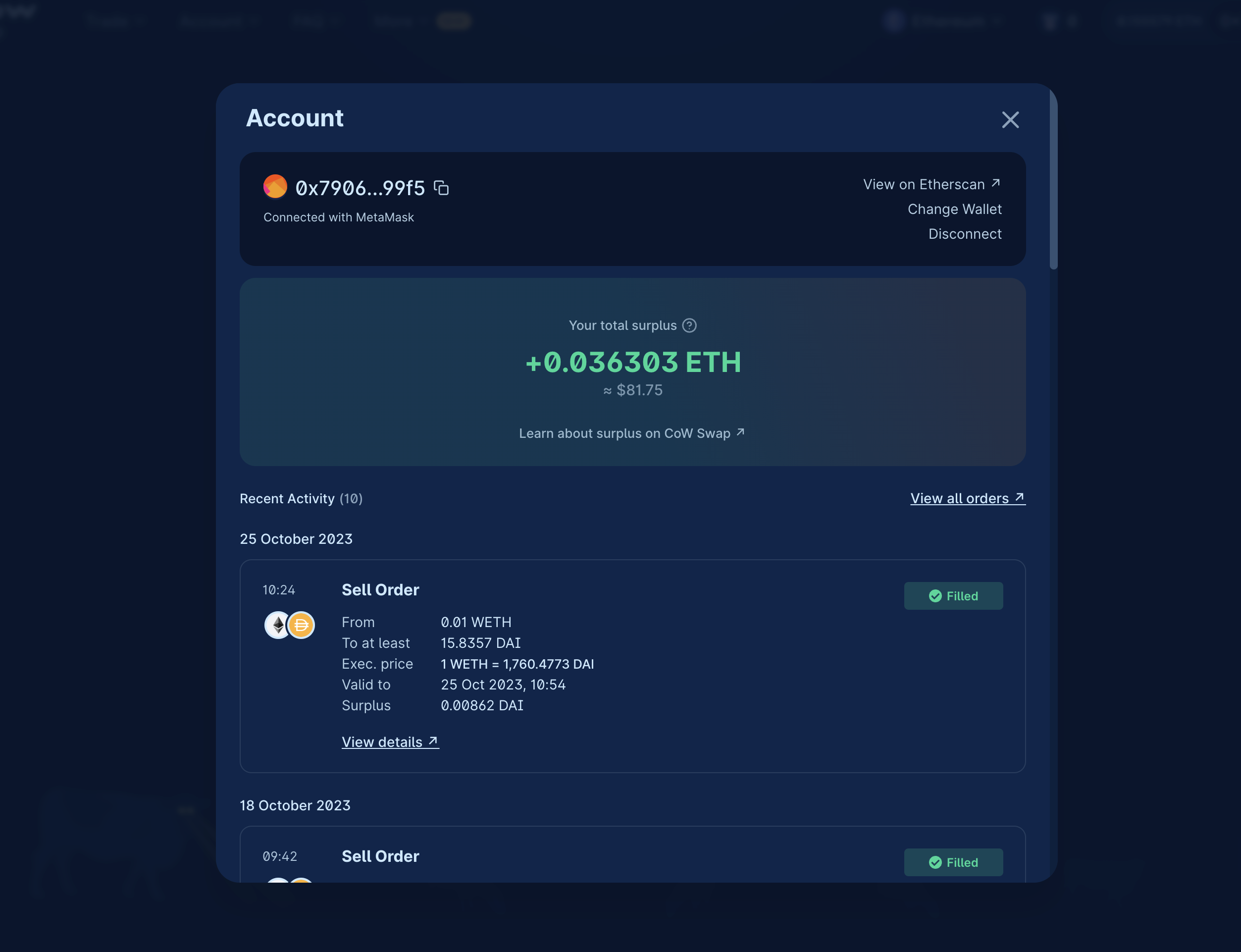
* You can keep track of the order status by checking the recent history (click on your connected wallet address in the top right corner).
* You can also view your order on [CoW Explorer](/cow-protocol/howto/cow-explorer).
## Track your order
Your order will be in the order book and ready to be executed.
* CoW Swap will automatically notify in a pop-up message once your order is executed.
* You can keep track of the order status by checking the recent history (click on your connected wallet address in the top right corner).
* You can also view your order on [CoW Explorer](/cow-protocol/howto/cow-explorer).
 ## Cancel your order
Changed your mind? Not a problem! CoW Swap makes it easy and gasless[1](#user-content-fn-1) to cancel your order.
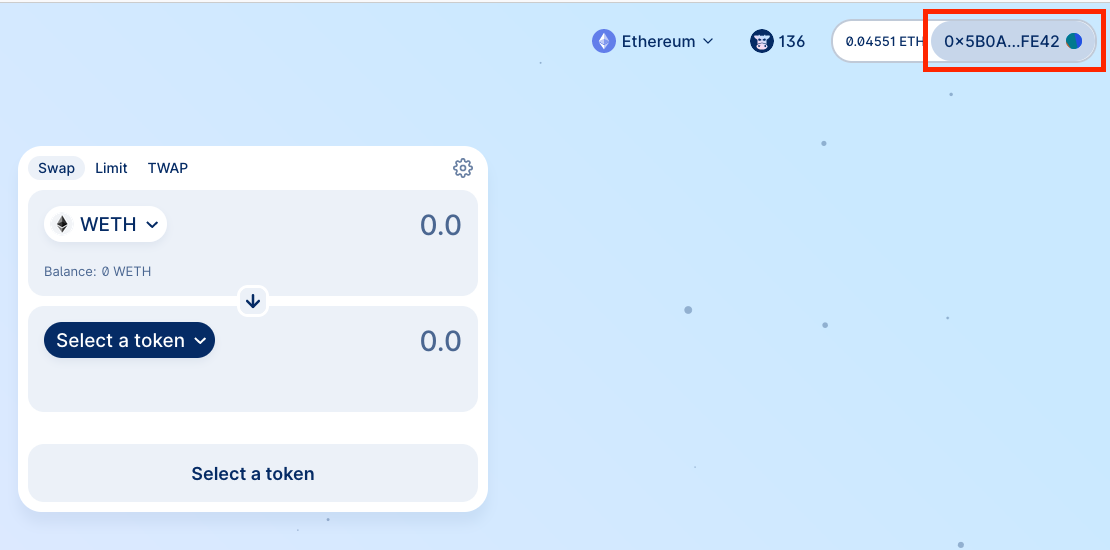
First, open the activity panel by clicking on your address in the top right corner.
## Cancel your order
Changed your mind? Not a problem! CoW Swap makes it easy and gasless[1](#user-content-fn-1) to cancel your order.
First, open the activity panel by clicking on your address in the top right corner.
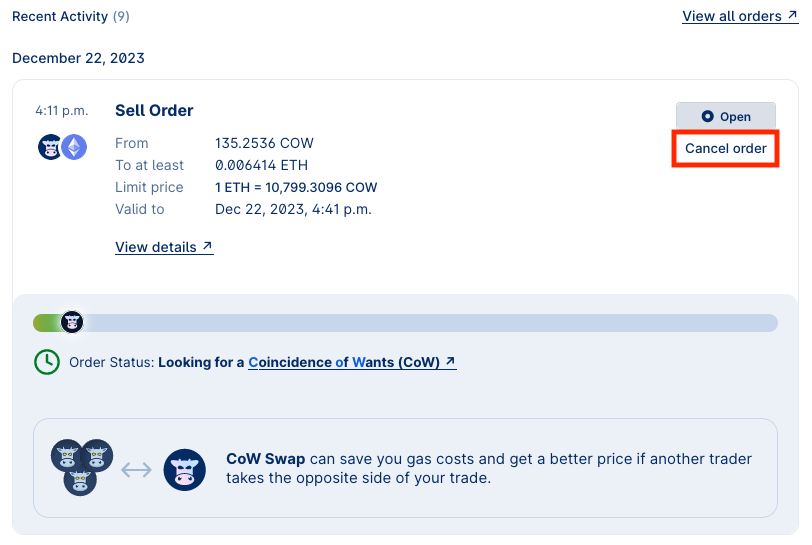
 Find your pending order in the list and click on `Cancel order`.
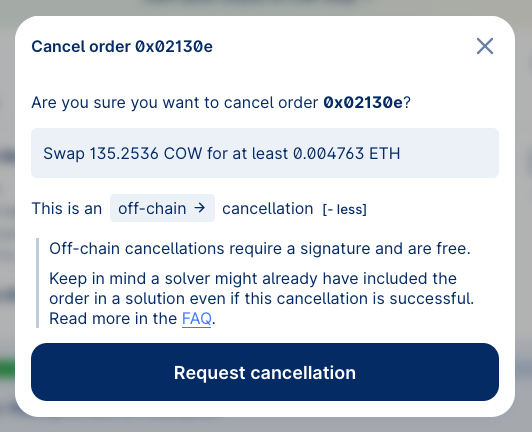
 Confirm the cancellation, picking which mode of cancellation you'd like: `off-chain` (default) or `on-chain`.
Cancelling orders `off-chain` is free and does *not* require a transaction. However, there is a risk that the order is matched between the time you cancel it and the time the cancellation is processed `off-chain`.
Cancellations are not immediate, and your order may settle before the cancellation goes through.
To proceed with an `off-chain` cancellation, click "Request cancellation" as shown below.
Confirm the cancellation, picking which mode of cancellation you'd like: `off-chain` (default) or `on-chain`.
Cancelling orders `off-chain` is free and does *not* require a transaction. However, there is a risk that the order is matched between the time you cancel it and the time the cancellation is processed `off-chain`.
Cancellations are not immediate, and your order may settle before the cancellation goes through.
To proceed with an `off-chain` cancellation, click "Request cancellation" as shown below.
 If you do not want to place trust in the API to cancel your order, you may wish to cancel your order via an `on-chain` cancellation transaction. This will cost gas. To do so, toggle the type of cancellation to `on-chain` by clicking on `off-chain`.
Even with `on-chain` cancellations, there is still a risk that the order is matched before the `on-chain` cancellation transaction is confirmed. Make sure to set a high priority fee and sign swiftly.
Confirm the transaction in your wallet and you are done!
## Footnotes
1. Only `off-chain` cancellations are gasless. `on-chain` cancellations - as the name states - require a regular network transaction. [↩](#user-content-fnref-1)
If you do not want to place trust in the API to cancel your order, you may wish to cancel your order via an `on-chain` cancellation transaction. This will cost gas. To do so, toggle the type of cancellation to `on-chain` by clicking on `off-chain`.
Even with `on-chain` cancellations, there is still a risk that the order is matched before the `on-chain` cancellation transaction is confirmed. Make sure to set a high priority fee and sign swiftly.
Confirm the transaction in your wallet and you are done!
## Footnotes
1. Only `off-chain` cancellations are gasless. `on-chain` cancellations - as the name states - require a regular network transaction. [↩](#user-content-fnref-1)